


BluFox
APPAll-in-one Discord bot: moderation, automod, anti-raid, tickets, leveling, economy & casino, giveaways and a no-code automation builder. Set up everything in a clean web dashboard with live previews. No Administrator permission needed.
About This Bot
BluFox: the all-in-one bot that runs your server for you
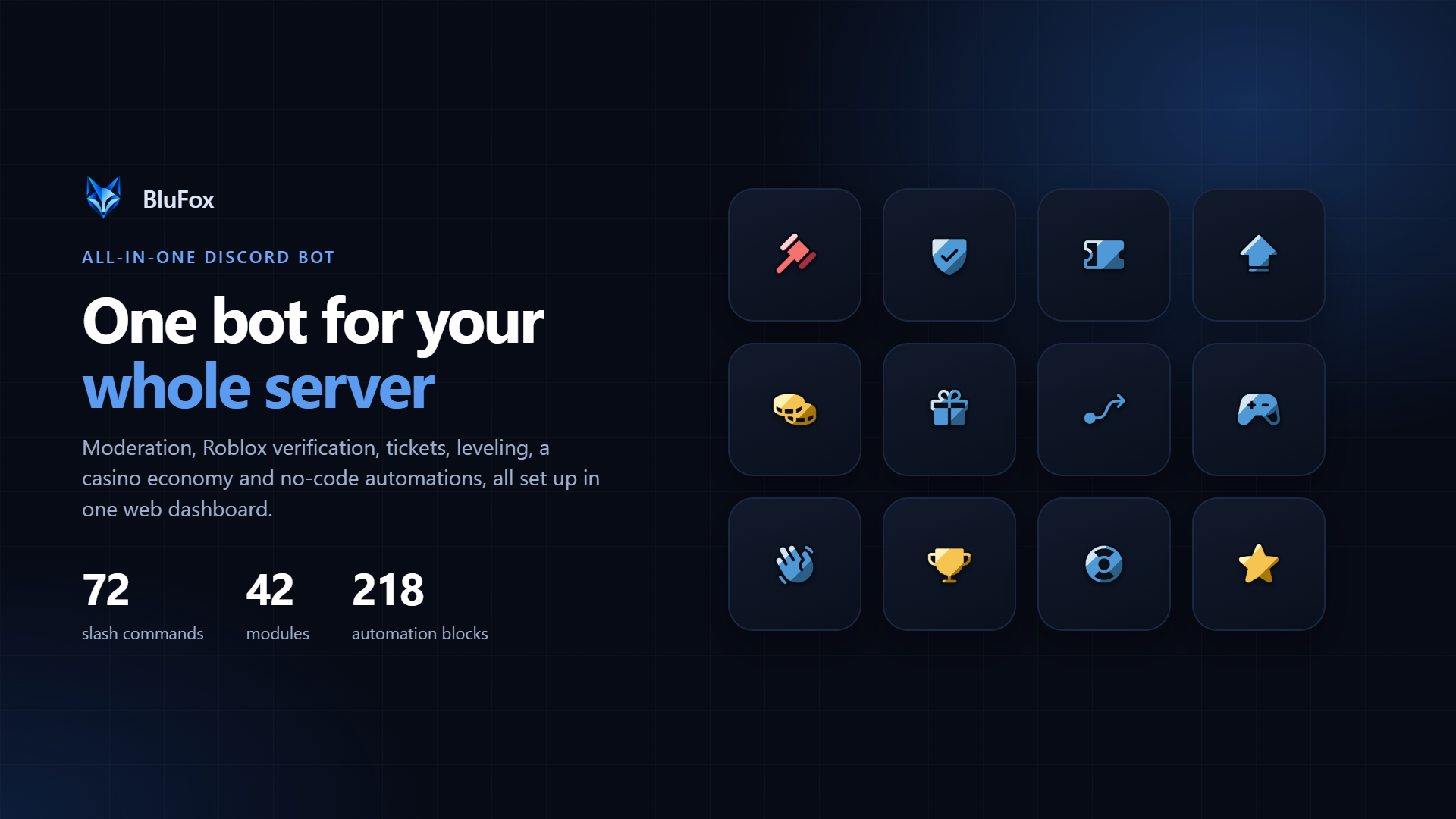
Most Discord servers end up with five or six different bots: one for moderation, one for tickets, one for levels, one for giveaways, one for Roblox verification, maybe one more for reaction roles. Each has its own commands, its own permissions, its own website and its own quirks. Your staff have to remember which bot does what, and every new bot is one more thing with access to your server.
BluFox replaces all of them with one bot. Moderation, automod, anti-raid, logging, tickets, modmail, applications, staff shifts, Roblox verification, leveling, quests, an economy with 12 casino games and a stock market, giveaways, clans, welcome cards, self-roles, a no-code automation builder and much more, all in one place. You set everything up in a clean web dashboard with live previews, and you switch on only what your server actually needs.
72 slash commands · 42 modules · 218 automation blocks · 126 custom emojis · free · no Administrator permission needed
Open the Dashboard · Website · Type /help in Discord to see every command
Why server owners choose BluFox
▸ One bot instead of five. One set of permissions, one place for all your settings, one bot that knows your whole server. Your moderators don't have to remember which bot handles what, and your member list stays tidy.
▸ Click, don't type. No config commands to memorise and no setup wizards in chat. Every module is set up in the dashboard with forms, toggles and pickers. You see a live Discord-style preview of your messages, embeds and panels before anything is posted.
▸ Only what you need. All 42 modules can be switched on or off per server. Turn something off and its settings stay saved, so you can bring it back any time without starting over.
▸ Safe by design. BluFox only asks for the permissions its modules actually use and never needs Administrator. A built-in health check shows you when a module is missing a permission or a channel, and tells you how to fix it.
▸ Switch without losing anything. Coming from another leveling bot? Import your members' XP from MEE6, Amari, Polaris or a CSV export, with a preview before anything changes.
▸ Made by a Roblox studio. BluFox is built by BluFox Studio, so Roblox verification and group rank roles are first-class, not an add-on.
▸ Built to stay up. BluFox runs on its own infrastructure with automatic recovery, so moderation, tickets and automations keep working when you need them most.
Who BluFox is for
▸ Roblox groups and game studios: verify players, give roles by group rank, game pass or badge, run staff shifts and applications, and keep players engaged between sessions.
▸ Gaming communities: keep chat clean with automod and moderation cases, reward active players with levels, quests and an economy, and run giveaways, clans and events.
▸ Creators and streamers: post Twitch, YouTube, Reddit and Kick alerts automatically, welcome new fans with custom banner cards and let your community earn roles by being active.
▸ Support and project servers: run a proper help desk with ticket panels, claiming, priorities, canned replies and transcripts, plus modmail and staff applications.
▸ Growing communities: verification, anti-raid and a honeypot channel keep bots out while you grow, and logs and backups make sure nothing important gets lost.
▸ Small friend groups: start with just welcome messages, leveling and some games, and add more whenever you want. Nothing is on until you switch it on.
Moderation that keeps a record
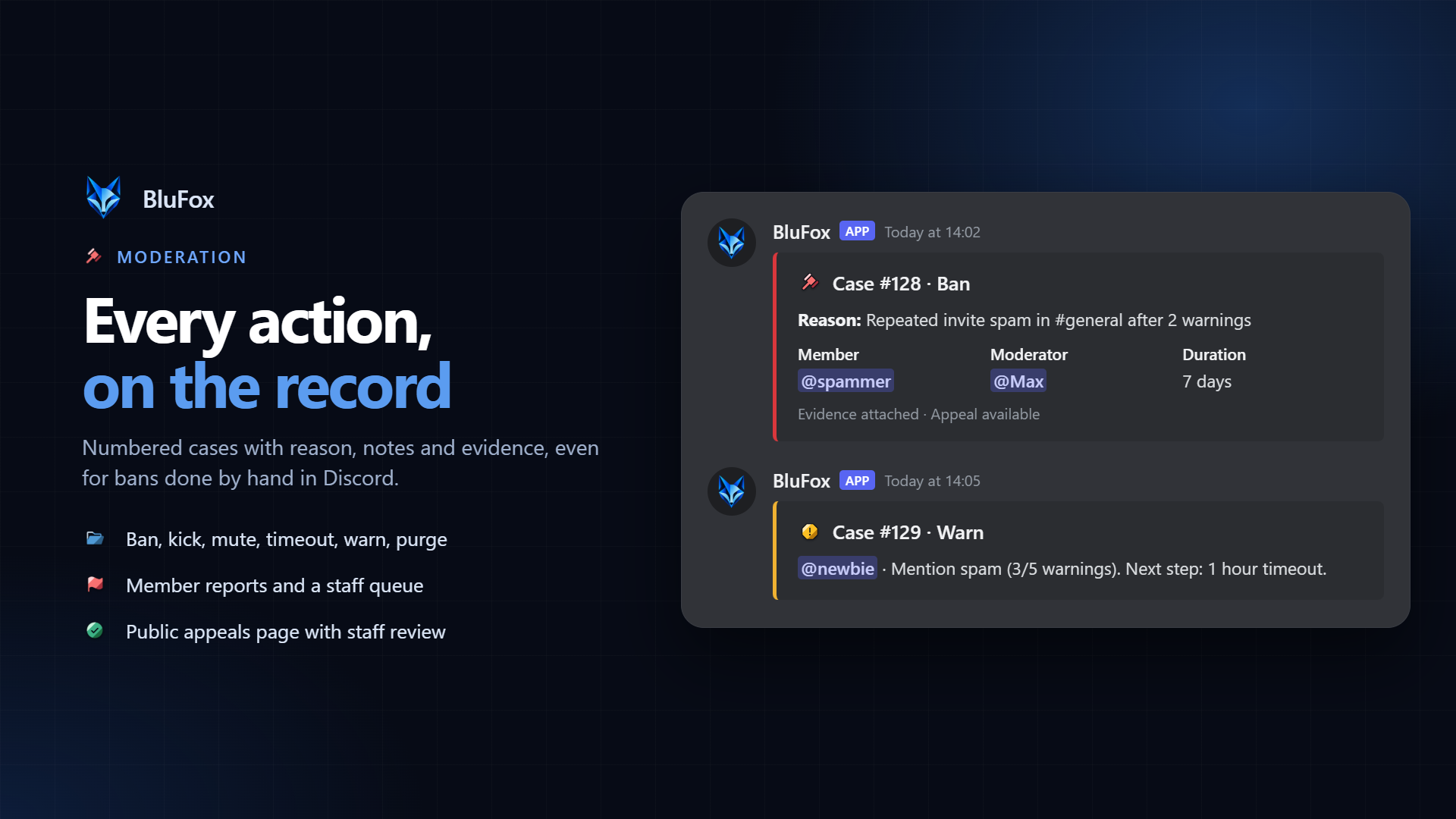
▸ Full toolkit: ban (also temporary bans that lift themselves), softban, kick, mute, timeout, warn, purge, slowmode, channel lock and unlock, role and nickname actions.
▸ Numbered cases: every action becomes a case with reason, notes and evidence, so you always know who did what, when and why. Cases can be pardoned, searched and filtered in the dashboard.
▸ Warning thresholds: decide what happens automatically after a number of warnings, for example a timeout after three and a ban after five.
▸ Nothing slips through: bans, kicks and timeouts done by hand in Discord, without the bot, are picked up and logged as cases too. Your case history stays complete.
▸ Right-click actions: warn a member, give a 10-minute timeout, view their cases, report a message, or delete a message and warn its author, straight from Discord's right-click menu. No command needed.
▸ Fair appeals: banned members can appeal on a public page or with /appeal. Staff review each appeal in the dashboard and accept or deny it with one click.
▸ Member reports: members report users or messages, and staff work through a report queue and mark each one resolved.
▸ Name clean-up: fixes hoisting, unreadable and fancy-font nicknames and blocked words automatically, or for everyone at once with /name-cleanup.
Automod, anti-nuke and anti-raid
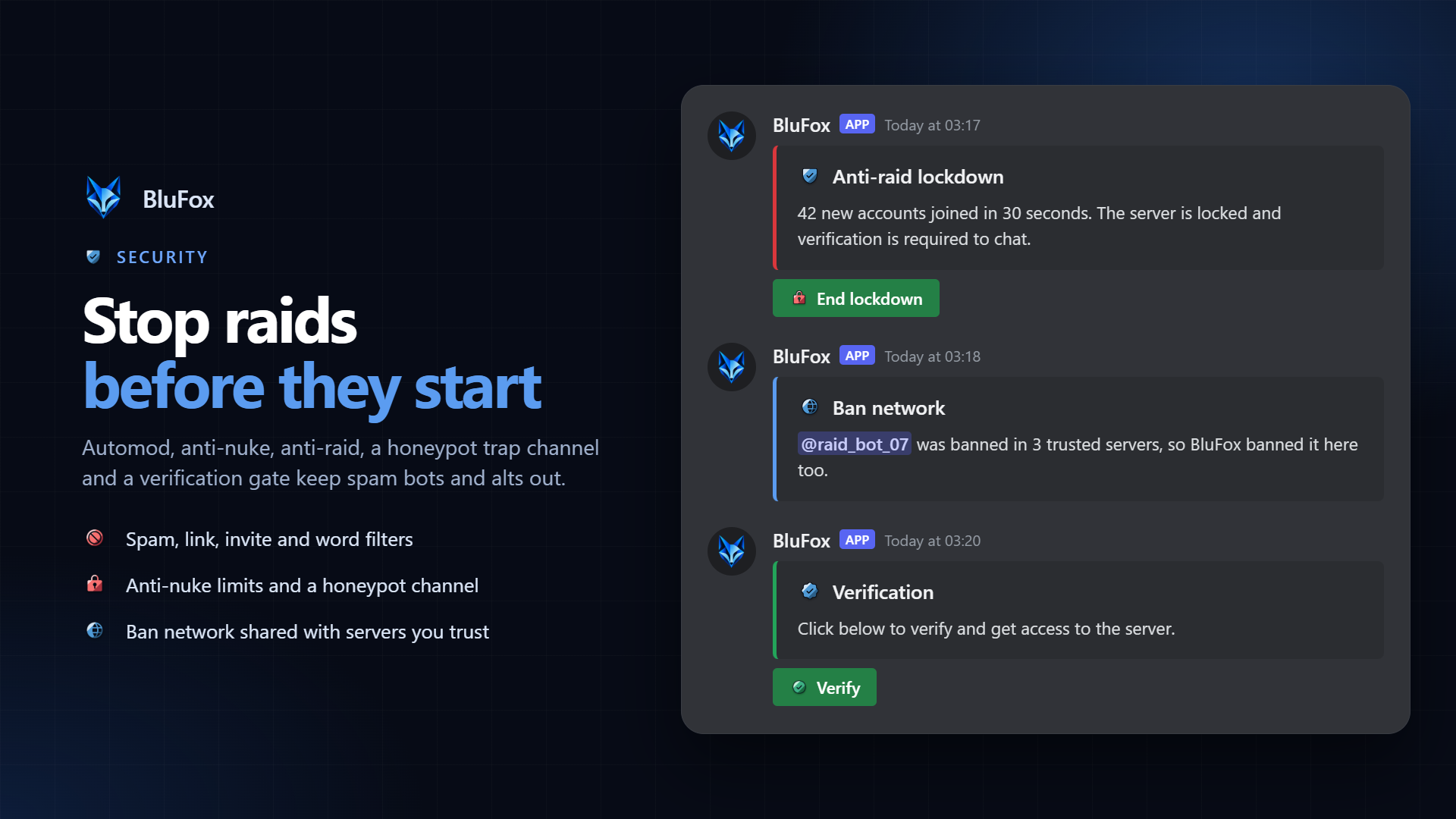
▸ Automod: catches spam, links, Discord invites, banned words and more before your moderators even see it. Whitelist channels, roles and trusted links, and choose what happens automatically: delete the message, warn, time out or ban.
▸ Anti-nuke: watches for mass bans and mass channel or role deletions, the typical signs of a compromised staff account or a rogue bot, and stops them before your server is wrecked.
▸ Anti-raid: when a wave of new accounts joins at once, BluFox locks the server down so the raid can't flood your channels. End the lockdown with one click when it's over.
▸ Honeypot channel: a trap channel real members never post in. Spam bots and hacked accounts that post there are softbanned, banned, kicked or timed out at once.
▸ Ban network: share bans with servers you trust. Ban a raider once and the ban follows to your other servers, automatically or after a one-click review.
▸ Verification: a join gate with a simple button, a captcha, a minimum account age or Discord login. New members only see your server after they pass, and verified members get their roles automatically.
▸ Backups: take a snapshot of your settings, roles and channels and restore it if something goes wrong.
Roblox verification and rank roles
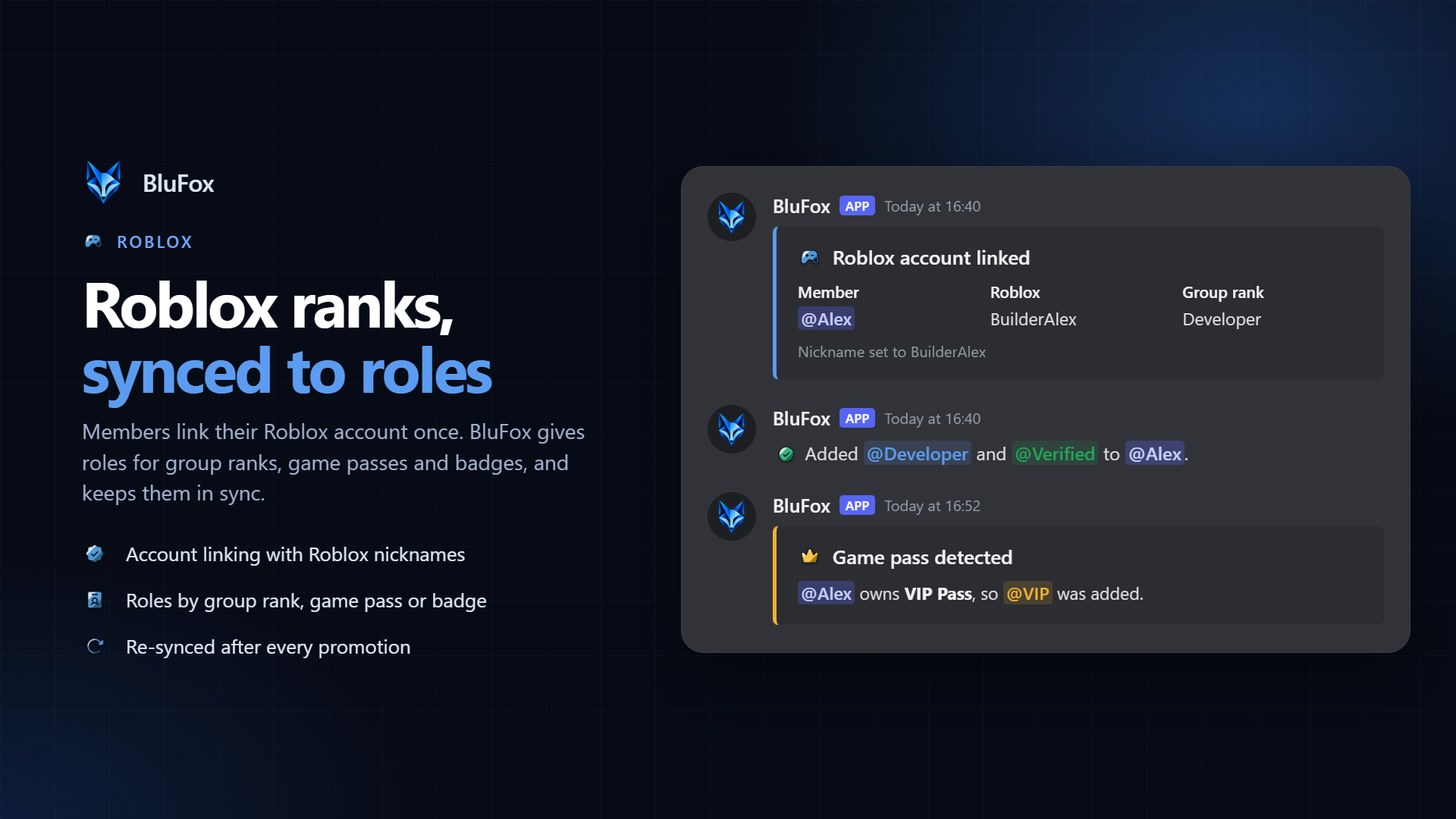
▸ Link once, use everywhere: members verify with /roblox verify by putting a short word phrase in their Roblox profile. No password, no login, and the link works on every server that uses BluFox.
▸ Roles from Roblox: give Discord roles by group rank range, game pass or badge, up to 50 bindings per server. The dashboard reads your group's rank names, so you pick ranks from a list.
▸ Always in sync: members refresh their roles after a promotion with /roblox update, staff can sync everyone at once, and roles that are no longer earned can be removed.
▸ Nicknames and lookups: set nicknames to the Roblox username or display name, and look up who is who with /roblox whois.
Logging you can actually read
▸ Message logs: edits and deletions, with the old and new content. Images and files of deleted messages are re-posted to the log, so evidence is never a dead link.
▸ Member logs: joins and leaves, role changes, nickname changes and timeouts.
▸ Server logs: channel, role, emoji, invite and thread changes.
▸ Your layout: send each type of event to its own log channel, or keep them together in one.
▸ Dashboard audit log: see which team member changed which setting, and when.
Tickets and support
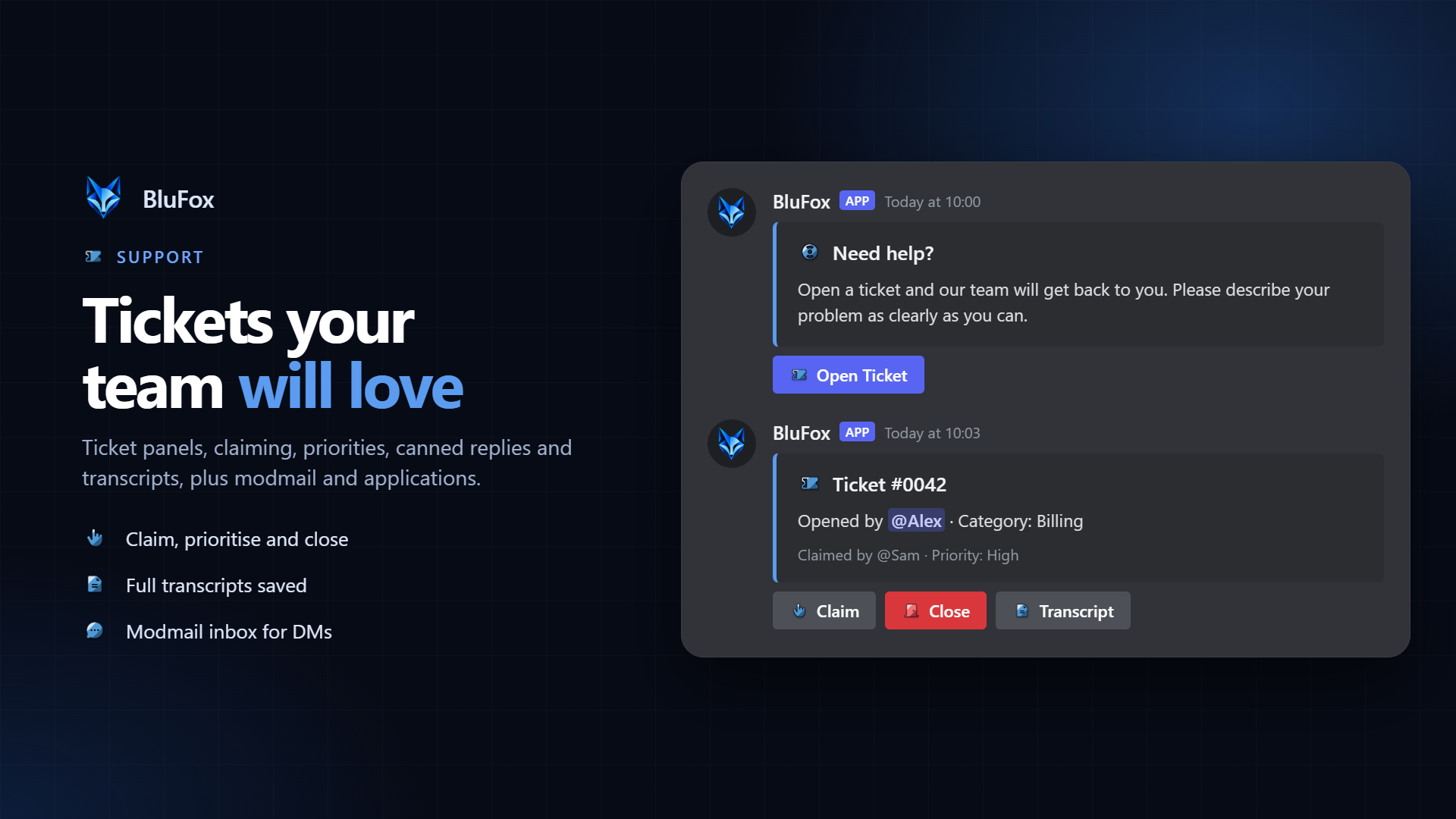
▸ Ticket panels: members open a ticket with one click from a panel you design yourself, with categories and opening questions so your team gets the details up front.
▸ Staff tools: claim tickets so two people don't answer the same one, set priorities, use canned replies for common answers, and close with a full transcript saved.
▸ Auto-close: tickets that go quiet are closed automatically after a warning, so your ticket list stays clean.
▸ Modmail: members DM the bot and your staff answer from one shared inbox, without anyone exposing their personal DMs. Saved snippets make repeated answers quick.
▸ Applications: staff and recruitment forms with your own questions. Members apply with /apply; you accept or reject with one click and the applicant gets a DM.
Staff management
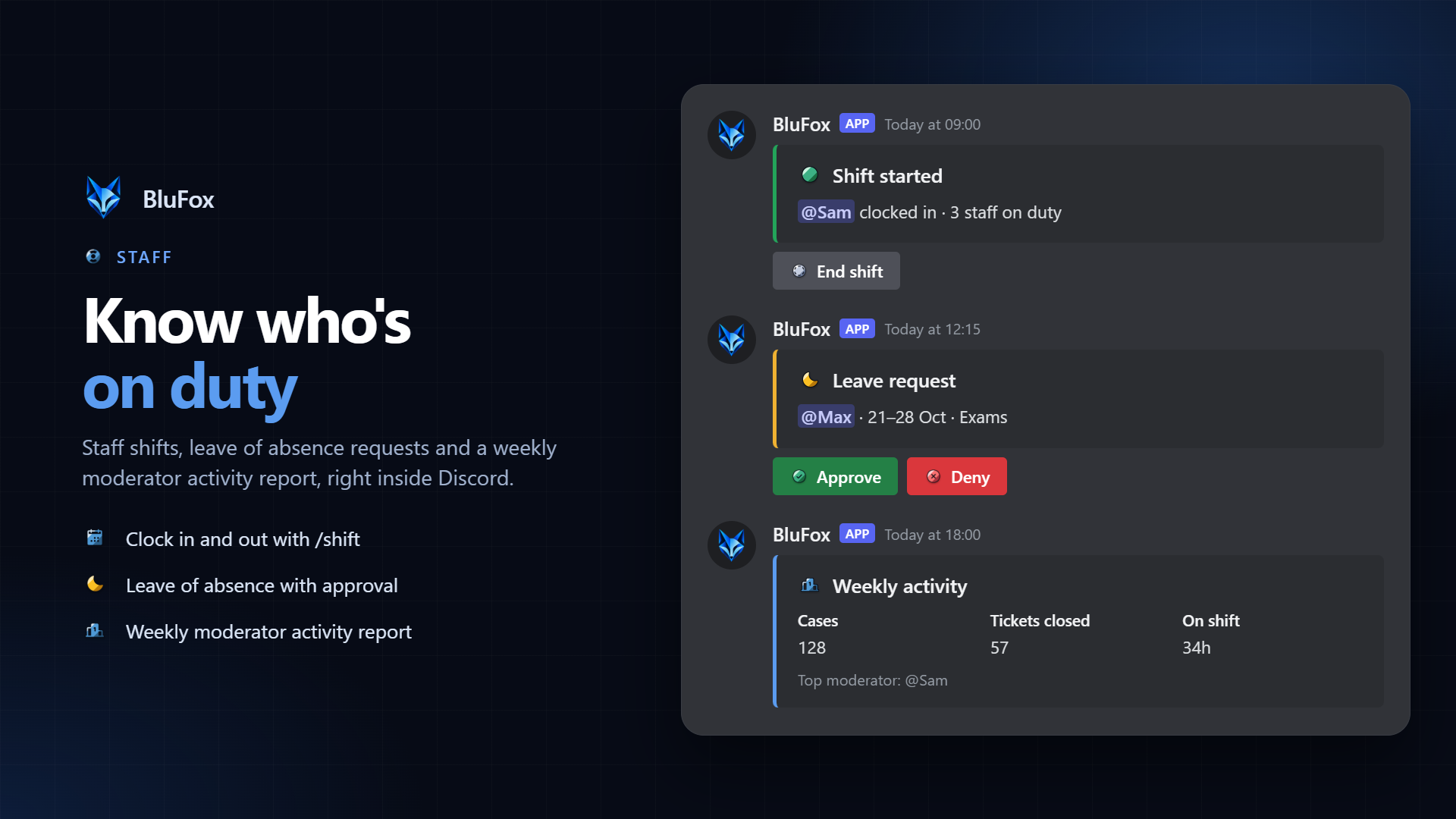
▸ Shifts: staff clock in and out with /shift, and everyone sees who is on duty, with an hours leaderboard.
▸ Leave of absence: staff request leave with /loa, and managers approve or deny it with one button.
▸ Activity report: /staff report shows cases, tickets, messages and shift hours per staff member.
▸ Dashboard access per role: give each staff role only the dashboard sections it needs, without sharing accounts.
Leveling, quests and achievements
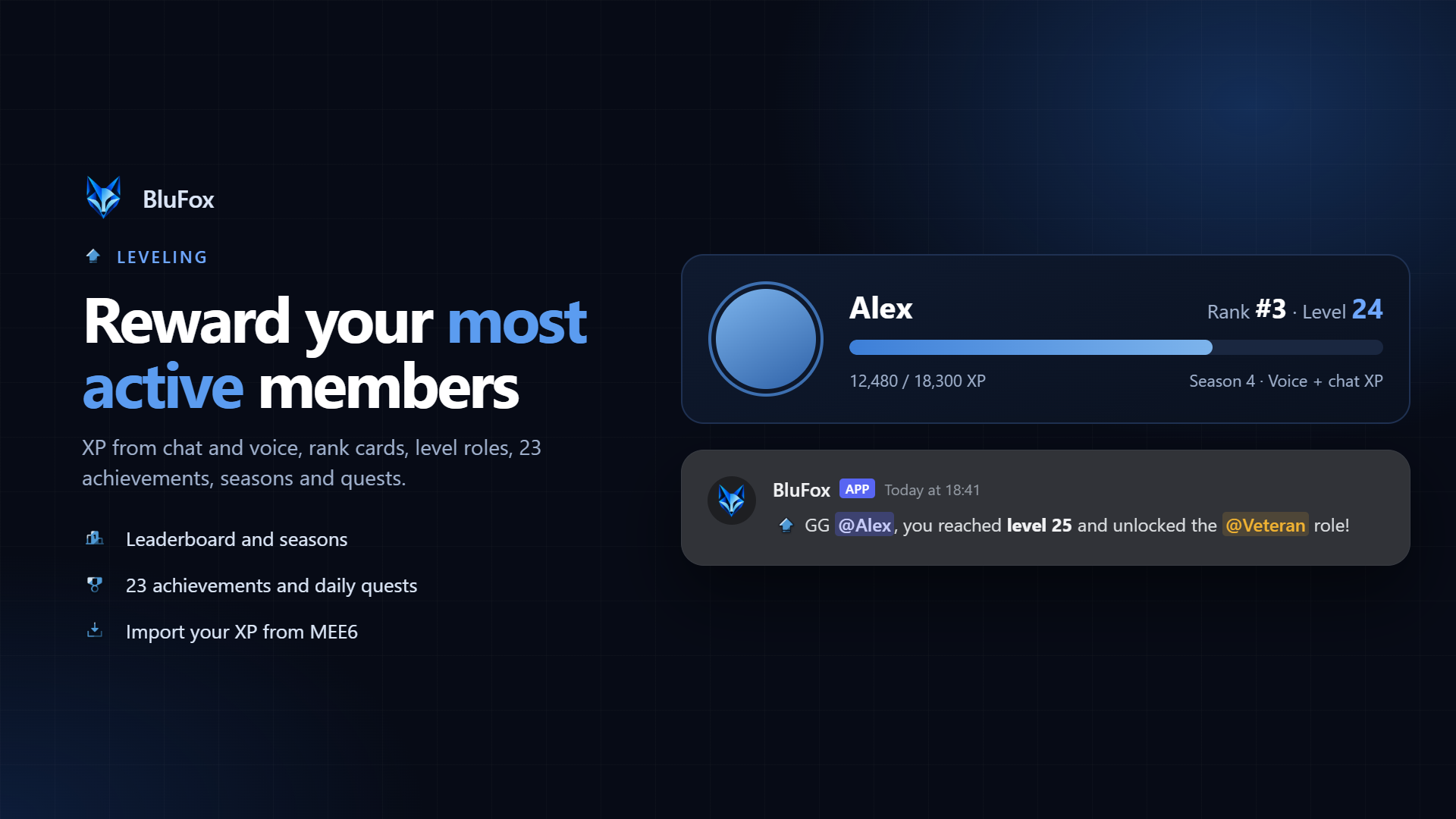
▸ XP from chat and voice: members level up by talking, in text and in voice channels. Cooldowns stop anyone from farming XP by spamming, and multipliers reward the channels and roles you choose.
▸ Rank cards and leaderboards: rank cards with /rank and a server leaderboard with /leaderboard.
▸ Level roles: give roles automatically at the levels you choose, to reward your most active members.
▸ 23 achievements and seasons: badges for levels, messages, voice, coins and streaks, plus XP seasons with a podium and champion roles.
▸ Daily and weekly quests: fresh goals every day and week that pay coins and XP, with /quests.
▸ Import your XP: bring levels over from MEE6, Amari, Polaris or a CSV export with /xp import.
Economy and casino
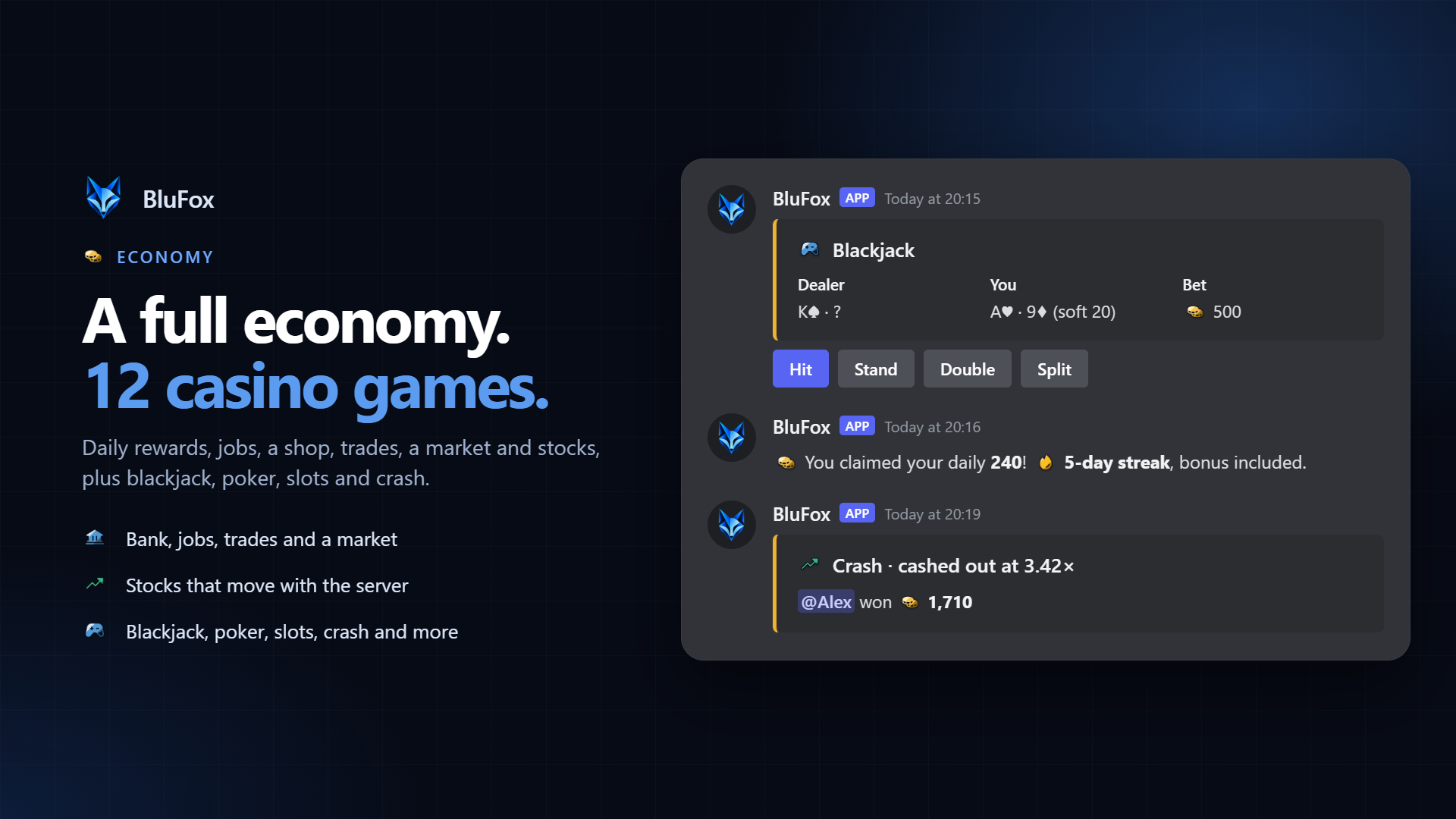
▸ Wallet and bank: daily rewards with streak bonuses, /work, paying other members, bank limits and optional daily interest.
▸ Shop: sell roles and items with rarities, limited stock and per-member limits. Start fast by importing ready-made items in one click.
▸ 12 casino games: real blackjack (the dealer peeks, double, split, surrender, 3:2 blackjack), video poker with tips on which cards to hold, slots, roulette, crash, mines, plinko, higher or lower, coinflip, duels, heists with a crew and a server lottery. Each game can be switched off.
▸ Trades, market and stocks: safe trades between members, a player market with price history, a stock market with prices that move, and a net worth leaderboard.
▸ Your currency: pick your own currency name and symbol, and decide every amount yourself.
▸ History and admin tools: members see their transaction history; admins can add or remove coins and manage items with /eco-admin.
Automation without code
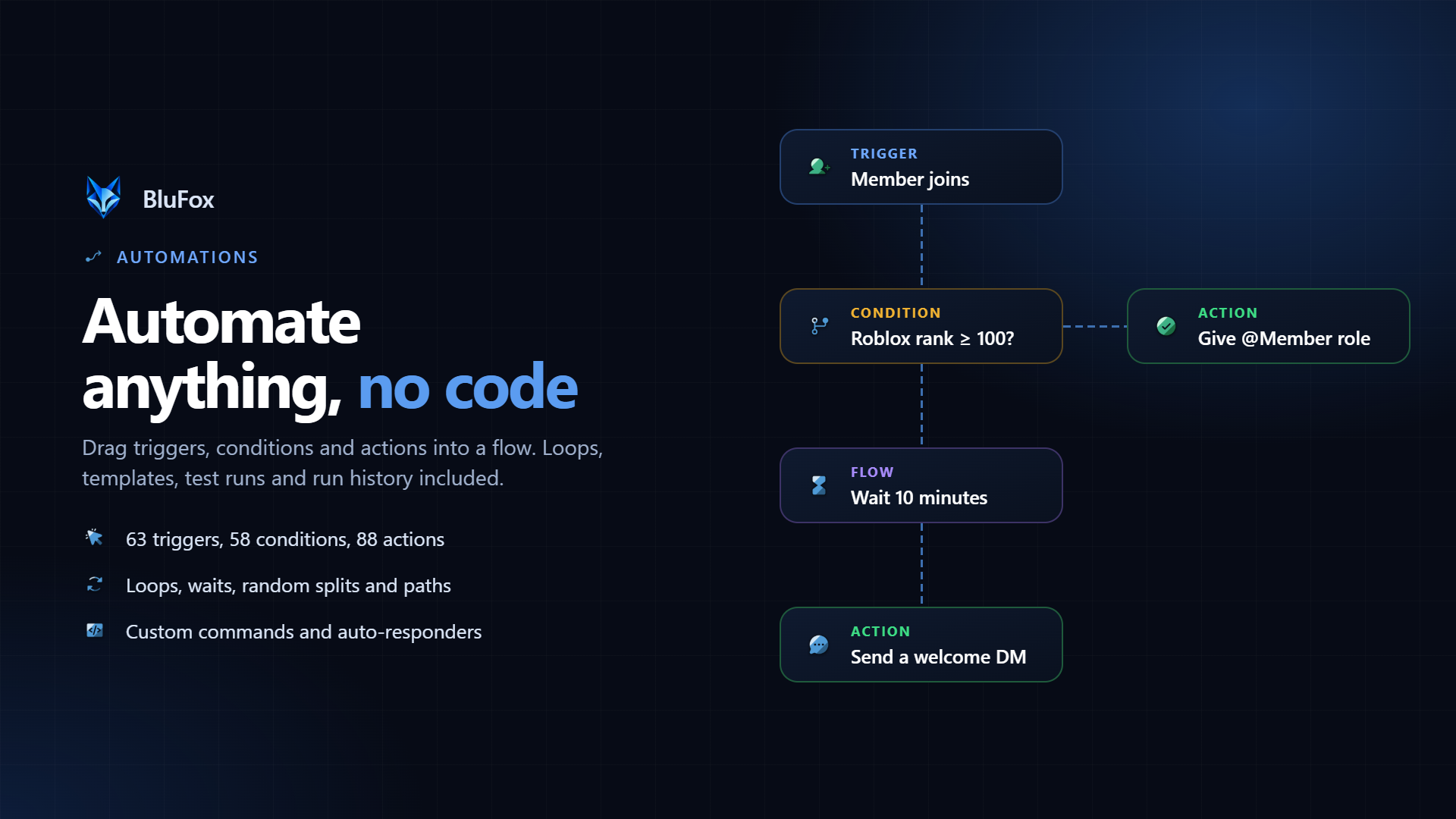
▸ Visual automation builder: connect blocks in a flow chart, with 63 triggers, 58 conditions, 88 actions and flow blocks like wait, loops, random split, paths and "try". No code, no scripting.
▸ Examples: "When someone joins, wait 10 minutes, then send them a welcome DM". "When a member's Roblox rank is 100 or higher, give them the Member role". "When someone reaches level 10, give them a role and 500 coins".
▸ Stored data and sub-flows: keep numbers, text and lists between runs, and reuse one automation inside others.
▸ Templates, test mode and run history: start from one of 42 templates, test an automation before turning it on, and see exactly what happened on every run, with analytics and failure alerts.
▸ Custom commands and auto-responders: create your own slash commands, and automatic replies to phrases, words or patterns.
▸ Channel tools: auto-publish announcements, auto-reactions, auto-threads, and working link previews for X, TikTok, Instagram, Reddit and Bluesky.
▸ Sticky and scheduled messages: keep an important message at the bottom of a busy channel, and post one-off or repeating announcements at the time you choose.
▸ Feeds and alerts: RSS feeds, Twitch live alerts and YouTube, Reddit and Kick notifications, posted automatically.
▸ Embed Studio: design rich embeds with images, fields and link buttons, then post them or update a message BluFox already sent.
Community features
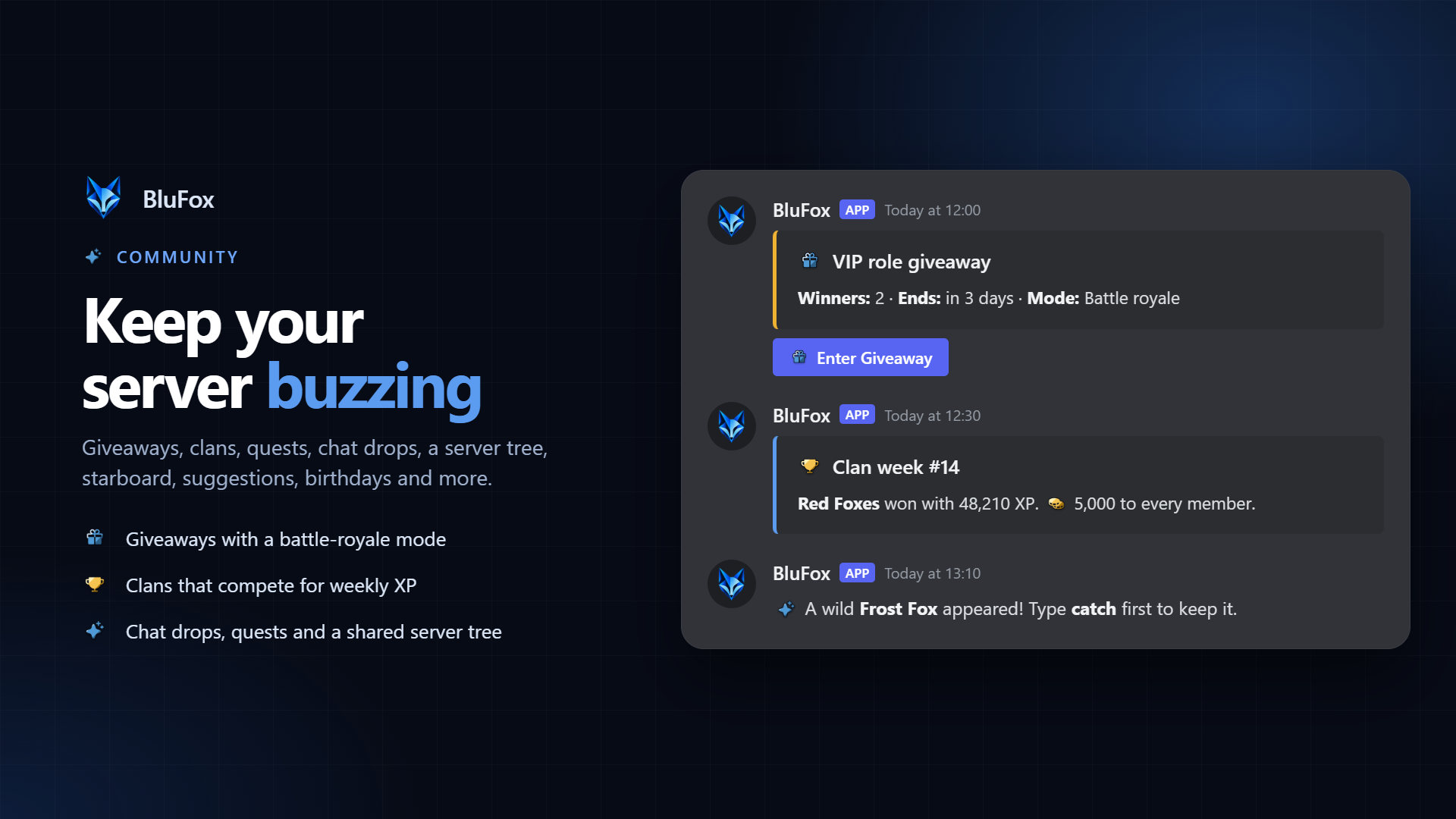
▸ Giveaways: entry requirements (level, messages, role or account age), bonus entries, rerolls, and a battle-royale mode that knocks entrants out one by one in the channel.
▸ Clans: members team up in clans with their own role and channel and compete for the most XP every week.
▸ Chat drops: critters appear in active channels, and the first to catch one keeps it. Collect all 30 with /drops.
▸ Server tree: a shared goal. Chatting, watering and donating grow the tree, and every stage pays everyone who helped.
▸ Events with RSVP: going, maybe and not going buttons, a waitlist, reminders before the start and repeating events.
▸ Games in chat: Connect Four, Uno, Truth or Dare, Would You Rather and Emoji Pictionary with /games.
▸ Polls and suggestions: Discord's native polls with /poll, and a suggestion forum where staff mark ideas approved, denied or implemented.
▸ Starboard, confessions, birthdays, counting and question of the day: the classics, all built in.
▸ Profiles, reputation and streaks: member bios with /profile, rep points with /rep and daily activity streaks with /streak.
▸ Booster perks: server boosters create their own role with a name, colour and icon, share it with a friend and earn bonus XP.
▸ Temp voice and voice roles: join-to-create voice channels members control themselves, and roles while someone is in voice.
▸ Live stat channels, bump reminders and invite tracking: member counts in channel names, Disboard bump reminders and an invite leaderboard.
▸ Highlights, snipe, AFK and reminders: keyword pings, the last deleted or edited message, an AFK status and personal reminders with /remind.
Welcome and roles
▸ Welcome and goodbye: welcome messages, goodbye messages, welcome DMs and custom banner cards with the member's avatar and your own background.
▸ Join roles: give new members their starting roles automatically.
▸ Reaction roles and role menus: emoji reactions, buttons or dropdown menus, with minimum and maximum picks so members can't grab every role.
▸ Colour roles: members pick their own name colour from a palette you choose.
▸ Temporary roles: give a role for a set time with /role temp, and BluFox takes it back when it runs out.
▸ Timezone roles: members set their timezone with /timezone, so everyone knows when others are online.
▸ Server rules and boost announcements: build a clean rules post in the dashboard, and thank members who boost your server automatically.
126 custom emojis, built in
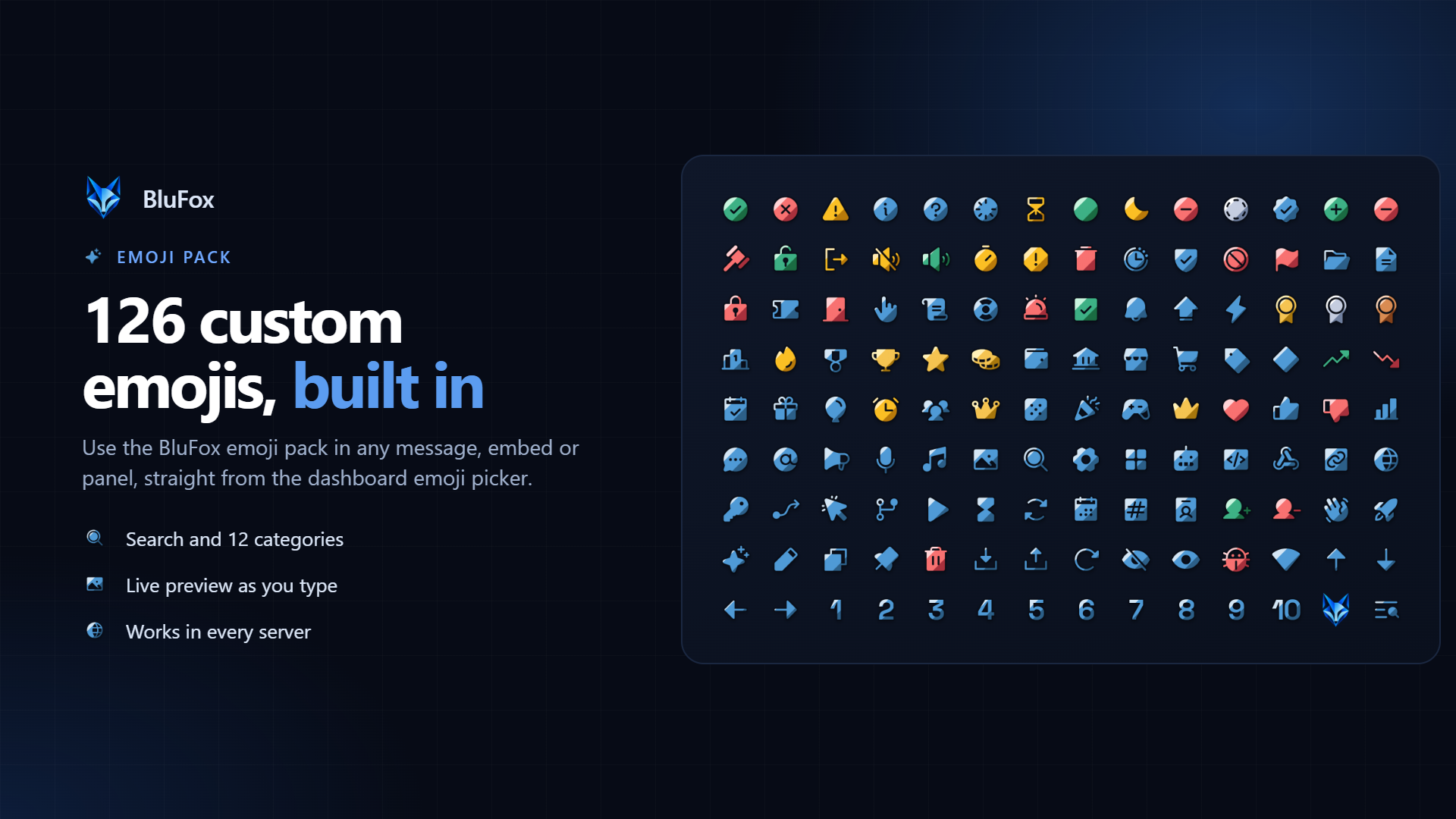
BluFox comes with its own emoji pack: 126 emojis for moderation, tickets, leveling, economy, giveaways, logs and more. Pick them from the emoji picker in any text field on the dashboard. They appear right in the field as you type, and BluFox posts them as real emojis in your messages, embeds and panels. Every standard Unicode emoji is in the picker as well. Members can also copy emojis from other servers and see which ones are used most with /emoji.
A dashboard you'll actually enjoy using
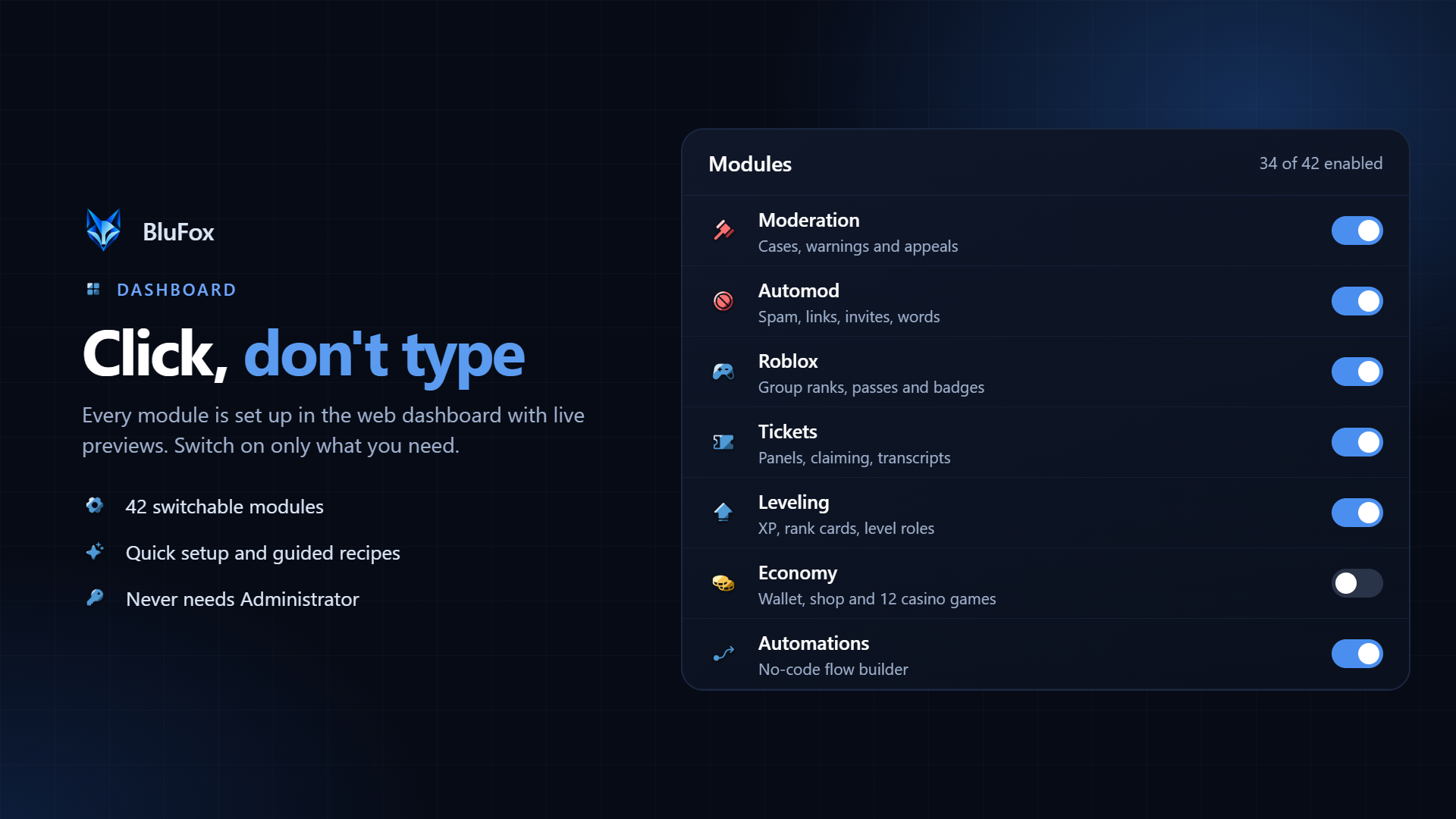
▸ Live previews: see welcome messages, embeds, panels and level-ups exactly as they will look in Discord, while you type.
▸ Setup help: guided setups for common goals, plus the health check that points out missing permissions or channels.
▸ Analytics: joins, leaves, messages and command usage over time, so you can see what's working.
▸ Team access: give staff access to the sections they need, without sharing accounts.
▸ English and German: the whole dashboard is available in both languages, with 11 themes.
▸ Integrations: signed webhooks for server events, incoming hooks that trigger automations from other tools, and a public API with API keys.
Commands at a glance
Moderation: /ban · /kick · /mute · /timeout · /warn · /purge · /slowmode · /mod · /role · /name-cleanup · /report · /appeal
Staff: /shift · /loa · /staff
Roblox: /roblox
Leveling: /rank · /leaderboard · /xp · /season · /achievements · /quests
Economy: /balance · /daily · /work · /bank · /eco · /casino · /trade · /market · /stocks · /networth · /eco-admin
Community: /giveaway · /poll · /suggestion · /starboard · /birthday · /confess · /confession · /event · /clan · /drops · /tree · /booster · /profile · /rep · /streak · /afk · /apply
Utility: /help · /info · /avatar · /emoji · /remind · /reminders · /highlight · /snipe · /editsnipe · /invites · /timezone · /voice · /modmail
Fun: /fun · /games · /quote · /social
Bot: /invite · /dashboard · /vote · /ping · /uptime
Right-click menu: Warn · Timeout 10 min · View cases · User info · Report message · Warn author · Delete & warn
Get started in 60 seconds
1. Invite BluFox to your server. It asks only for the permissions its modules use.
2. Open the dashboard and log in with Discord. Your servers are listed right away.
3. Switch on the modules you want, or start from a guided setup. Every change is live immediately.
4. Type /help in your server to see every command your members can use.
Privacy and security
▸ Least privilege: BluFox never asks for Administrator, only for what its modules need.
▸ Your data, your call: members can export their own data or have it deleted, and server owners can erase all data for their server.
▸ Secure login: the dashboard uses Discord login. Your Discord password is never seen or stored by BluFox.
▸ AI on our own servers: the AI automation blocks run on a model hosted by BluFox itself, not a third-party AI service.
FAQ
Is BluFox free?
Yes. Every module and every feature is free, with no paid tier.
Why doesn't BluFox ask for Administrator?
Because it doesn't need it. BluFox asks only for the permissions its modules use, which keeps your server safer if anything ever goes wrong.
Do I have to use every module?
No. Everything is off until you switch it on, and switched-off modules keep their settings for later.
Can it replace my other bots?
For most servers, yes. Moderation, automod, logging, tickets, Roblox verification, leveling, economy, giveaways, welcome messages and self-roles are all built in.
Can I keep my XP from MEE6?
Yes. Leveling imports XP from MEE6, Amari, Polaris or a CSV export, and shows you a preview first.
Does BluFox work for Roblox groups?
Yes. Members link their Roblox account once, and you give roles by group rank, game pass or badge. Staff shifts, leave requests and applications are built in too.
Do I need to know how to code for automations?
No. The automation builder is fully visual: you connect blocks and pick options. Templates help you get started.
Will BluFox work in a big server?
Yes. BluFox is built for large servers, with caching, rate-limit handling and automatic recovery.
Does it speak my language?
The dashboard is fully available in English and German. Commands are in English, with German translations for the most-used ones.
Where do I get help?
Use /help in Discord, open the dashboard at bot.blufox-studio.com or read the guides at blufox-studio.com.
Like BluFox? Leave a vote here. It helps more servers find us, and /vote gives you a reward in your server.
Frequently Asked Questions
What is BluFox and what does this Discord bot do?
BluFox Studio is a Discord Bot that helps moderators with automations, moderation, tickets, leveling and economy, so you can run your whole server from one bot and one dashboard.
How do you invite BluFox to a Discord server?
Use the Invite to Server button on this page to start the Discord authorization flow and add BluFox to your community.
What features are available for BluFox?
BluFox highlights features such as Web Dashboard, Moderation, Auto Moderation.
Is the BluFox Bot free to use?
Yes, the BluFox Bot is marked as free to use.