


UnlockHub
APPSell access to your Discord server. Members pay your price or complete an offer, and the bot grants the role instantly, expires it on time and restores it on renewal. Files, keys and links too.
About This Bot
UnlockHub turns a Discord server into paid access. Put a role behind a price or a sponsored offer, and the bot hands it out the moment the unlock is confirmed, expires it when the time is up, and puts it back when the member renews. No moderators, no manual role edits, and no payment account of your own.
Create your own page to sell roles now, for free: https://www.unlockhub.xyz/
It is a content locker built for Discord. Setting up a project takes a few minutes on unlockhub.xyz, and everything after that happens without you: the embed, the unlock page, the role grant, the expiry and the DM with the access details.
What you can sell
- Roles with an expiry: a private room for a day, a week, a month, or for as long as a subscription stays active.
- Channel access: keep the public rooms public and gate the tier members actually pay for.
- Files and downloads: packs, templates, builds and presets, revealed only after the unlock is confirmed.
- Keys and licences: a single use key with an expiry, emailed as well if the tab closes.
- Links: any destination URL, gated the same way.
Two ways for a member to get in
Every project can run both at once, on the same page, with the member choosing.
A price you set. One time access for a fixed window, or a monthly subscription. UnlockHub takes the card payment itself, so there is no Stripe account to connect, no company details to hand over, and nothing to maintain. The publisher keeps 75% of every sale after the card processor's fee, and the platform fee is only taken at withdrawal.
A sponsored offer. Members who will not enter a card can complete a task instead, and the offer provider pays for the completion. On gaming and community servers this is usually the larger half of the audience.
What happens after someone unlocks
- The member pays, or completes the tasks.
- The bot grants the access role, with no moderator in the loop.
- The member gets their access details by DM, if you switch it on.
- When the window ends, the access role is swapped for the expired role you chose. Their messages, history and standing in the public channels stay exactly where they were.
- Renewing restores the paid role immediately.
If a subscription lapses, the role comes off. If the member leaves the server and comes back later, access is rebuilt from what the site knows about them.
Commands
/unlock project:posts the unlock embed into the current channel./access project:tells a member how much access time they have left./syncre-fetches the project configuration from the site and re-syncs embeds./invitereturns the invite link for the bot.
Setup, in order
- Create the paid role and its private channel in your server.
- Invite the bot, and give it a role above the role it will hand out. A bot cannot manage a role above its own, and that is the most common setup mistake.
- In the UnlockHub editor, point the project at the access role, the expired role, and the channel for the embed.
- Set a price, a subscription, or both, and turn on the offer route if you want it.
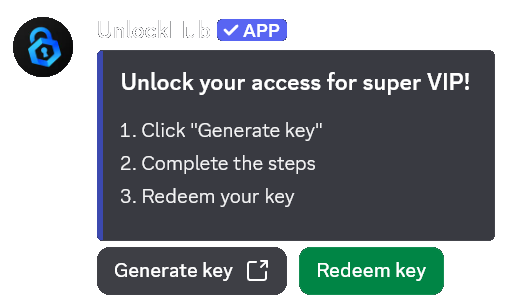
- Publish. Use the embed with its Redeem button, or link the unlock page anywhere you already talk about the paid tier.
What it costs
- Nothing to start, and nothing monthly.
- You keep 75% of each card sale, after the card processor's fee. The 25% platform fee is taken at withdrawal, from a $100 minimum.
- Offer revenue is credited as the provider reports it, into the same balance.
- Unlocks start at $1, and a discount cannot push a charge below the card processor's 50 cent floor.
Who it is for
Server owners selling a paid tier, creators and coaches selling access to a room, modding and gaming communities monetising downloads without putting an ad wall in front of every link, and anyone who wants the paywall to live inside Discord instead of beside it.
Permissions and privacy
The bot asks only for what it needs: the guild and member lists, and permission to manage the one role it grants and to post the embed. It does not read message content. Publishers can also run their own bot, with their own name and avatar, if they want the identity to be theirs.
Questions
Do I need a Stripe account?
No. UnlockHub collects the card payment for you and credits your balance minus the card processor's fee. You withdraw when you want, from $100.
Can members pay without a card?
Yes. Turn on the offer route and a member can complete a sponsored task instead, which costs them nothing and still pays you.
Does it take the role back automatically?
Yes. Set a window for one time access, or let the role follow the subscription. Lapsed members move to the expired role you chose, and renewing puts the role back instantly.
Can I use my own bot name?
Yes, white label bots are supported. The embed and the role come from your application instead of ours.
Start here
Read the walkthrough for selling access to a Discord server, check the documentation, or create a free account and run the whole flow in a test server before any member sees it.
Frequently Asked Questions
What is UnlockHub and what does this Discord bot do?
UnlockHub Bot powers the UnlockHub platform in order to automate managing and selling discord access for your community.
How do you invite UnlockHub to a Discord server?
Use the Invite to Server button on this page to start the Discord authorization flow and add UnlockHub to your community.
What features are available for UnlockHub?
UnlockHub highlights features such as Web Dashboard, Logging, Utility.
Is the UnlockHub Bot free to use?
Yes, the UnlockHub Bot is marked as free to use.